


Spreadsheet Models for Managers
Getting Access to Spreadsheet Models for Managers
If  you use Excel to model businesses, business processes, or
business transactions, this course will change your life. You’ll learn how to create tools for yourself that will amaze
even you. Unrestricted use of this material is available in two ways.
you use Excel to model businesses, business processes, or
business transactions, this course will change your life. You’ll learn how to create tools for yourself that will amaze
even you. Unrestricted use of this material is available in two ways.
- As a stand-alone Web site
- It resides on your computer, and you can use it anywhere. No need for Internet access.
- At this Web site
- If you have access to the Internet whenever you want to view this material, you can purchase on-line access. Unlimited usage. I’m constantly making improvements and you’ll get them as soon as they’re available.
To Order On Line
| Order "Spreadsheet Models for Managers, on-line edition, one month" by credit card, for USD 69.95 each, using our secure server, and receive download instructions by return email. |

| Order "Spreadsheet Models for Managers, on-line edition, three months" by credit card, for USD 199.00 each, using our secure server, and receive download instructions by return email. |
| Order "Spreadsheet Models for Managers, downloadable hyperbook edition" by credit card, for USD 199.00 each, using our secure server, and receive download instructions by return email. |
To Order by Mail
Make your check payable to Chaco Canyon Consulting, for the amount indicated:
|
And send it to: Chaco Canyon Consulting 700 Huron Avenue, Suite 19C Cambridge, MA 02138 |
To use the course software you’ll need some other applications, which you very probably already have. By placing your order, you’re confirming that you have the software you need, as described on this site.

Spreadsheet Models for Managers
Problem Set 1Session Links
Introduction to Spreadsheet Models
Be sure to check the list of worksheet functions that are needed for the homework assignments, to see which new functions (if any) might help with this assignment.
For a quick way to copy homework problem data into your homework solution, see “Avoid retyping homework problem data.”
Since macros aren’t permitted in this homework assignment, be certain that the workbook you submit for grading has no macros. Read about how to check your workbooks for macros.
Remember that some problems are slight extensions of what we show you in class, in the demonstrations and in the session notes, and some problems are somewhat ambiguous. This is intended to parallel what you’ll frequently encounter at work. If you feel a bit confused, there are some things you can do to help clarify things.
Before attempting this homework, you might find it helpful to read about:
Numbers in square brackets to the right of the problem numbers indicate point values.

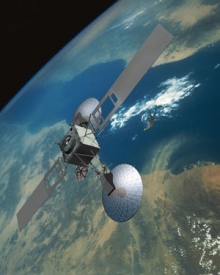 Geodesic Telecommunications, Inc., plans to build a global satellite
network to provide wireless communications service to the world. To accomplish this, they plan
to launch 240 communications satellites in low Earth orbit. Satellites are launched in groups of
8 by a single rocket. Each satellite costs $1.10 million, and each rocket
launching costs $77.4 million. The rocket launch facility can support a launch
rate of 3 per month. Launches begin in Month 1 of 2016.
Geodesic Telecommunications, Inc., plans to build a global satellite
network to provide wireless communications service to the world. To accomplish this, they plan
to launch 240 communications satellites in low Earth orbit. Satellites are launched in groups of
8 by a single rocket. Each satellite costs $1.10 million, and each rocket
launching costs $77.4 million. The rocket launch facility can support a launch
rate of 3 per month. Launches begin in Month 1 of 2016.
By carrying out the following steps, create a spreadsheet model to be used to compute GTI’s cash needs. In all calculations, columns are to represent months, as advised in the reading, “Structuring Excel Models.”

Compute the cumulative total cost of launch operations, month by month, showing the cumulative dollar volume of launched assets plus the cumulative total cost of launching those assets on a monthly basis beginning in Month 1 and ending in Month 10. Express your result in millions of dollars. Your result should be a single 1x10 range.
GTI plans to provide service to the surface of the Earth sector by sector. It takes 10 satellites to cover a sector. Until those 10 satellites are functioning, the revenue for the sector they cover is 0. On average, once a sector starts generating revenue, the revenue generated by a sector is expected to be $0.92 million per month, independent of where that sector is in the world. Compute GTI’s expected cumulative revenue, month by month, for months 1 through 10. Express your result in millions of dollars. Your result should be a single 1x10 range.
Toddler’s Togs, Inc., a retailer of small children’s apparel, is expanding. The facilities manager has produced a plan that shows, quarter by quarter for three years, the maximum number of locations the warehouse and distribution functions will be able to support, shown in the table below. TTI now operates 18 stores. In the table, the notation “Y2Q2,” for example, means “Year 2, Quarter 2.”
 |
Y1Q1 | Y1Q2 | Y1Q3 | Y1Q4 | Y2Q1 | Y2Q2 | Y2Q3 | Y2Q4 | Y3Q1 | Y3Q2 | Y3Q3 | Y3Q4 |
| Stores | 19 | 20 | 22 | 32 | 35 | 37 | 41 | 50 | 55 | 63 | 70 | 79 |
 Before it can open for business, each location has
to hire a store manager, nine part-time sales associates and three full-time sales
associates. Compute the hiring schedule, by employee category, that will be required to support
the new stores. Present your result in the order, from top to bottom, Store Managers,
Full-timers and Part-timers. Your result should be a single 3x12 range.
Before it can open for business, each location has
to hire a store manager, nine part-time sales associates and three full-time sales
associates. Compute the hiring schedule, by employee category, that will be required to support
the new stores. Present your result in the order, from top to bottom, Store Managers,
Full-timers and Part-timers. Your result should be a single 3x12 range.
If a part-timer is hired in a particular quarter, there is an chance that he or she will have to be replaced in the quarter immediately following their hiring. People who make it through that first quarter following their hiring then stay on indefinitely. Compute the number of hires of part-timers required in each quarter to replace those who do leave in the first quarter following their hiring. Consider only the hiring you plan to execute to support the new stores. You may assume that there is no other turnover, beyond this first-quarter-following-hire phenomenon, but be certain that your model takes into account all such first-quarter-following-hire turnover, and only that turnover. Construct your model so that the replacement rate is a parameter. Don’t worry about rounding to the nearest whole person; a result in terms of fractional people is OK. Your result should be a single 1x12 range.
Install the special tools for this course. After the installation, select a cell to hold the answer for this problem, and choose the command Test Installation from the SMM menu. If you’ve installed the command correctly, the command installs a note saying that you succeeded. If not, it advises you of that too. Full credit for this problem is possible only if you correctly install the tools and demonstrate your success by submitting the note that the installation tester creates. Your result should be a single cell.

Last Modified: Wednesday, 27-Apr-2016 04:15:26 EDT


The first homework assignment has a fair amount of reading attached to it. Some students feel that the best approach is to read it all, and then try to do the homework. For most of us, such an approach doesn’t work very well.
Before you begin the course, read the general material, such as “Getting Started,” “Software You Need for This Course,” and “How to Work.”
Later, as you begin the homework, let the homework drive your reading choices. For instance, the first homework assignment does require that you master certain techniques. Read “Names” and “The Ripple Principle.” Then, if something confuses you, read up on it: examples are “The Basics of Recalculation” and “References.” Learning something when you need it, and only when you need it, is usually the best way to go.
Parentheses sometimes make a real difference. For instance A1*B1+2 is very different from A1*(B1+2). But A1*(B1*2) is exactly the same as A1*B1*2. When the parentheses don’t make any difference in the value of the result, it’s not usually a good idea to include them. They tend to make the formulas harder to read, and there’s always the chance that you’ll put them in the wrong place. More