


Spreadsheet Models for Managers
Getting Access to Spreadsheet Models for Managers
If  you use Excel to model businesses, business processes, or
business transactions, this course will change your life. You’ll learn how to create tools for yourself that will amaze
even you. Unrestricted use of this material is available in two ways.
you use Excel to model businesses, business processes, or
business transactions, this course will change your life. You’ll learn how to create tools for yourself that will amaze
even you. Unrestricted use of this material is available in two ways.
- As a stand-alone Web site
- It resides on your computer, and you can use it anywhere. No need for Internet access.
- At this Web site
- If you have access to the Internet whenever you want to view this material, you can purchase on-line access. Unlimited usage. I’m constantly making improvements and you’ll get them as soon as they’re available.
To Order On Line
| Order "Spreadsheet Models for Managers, on-line edition, one month" by credit card, for USD 69.95 each, using our secure server, and receive download instructions by return email. |

| Order "Spreadsheet Models for Managers, on-line edition, three months" by credit card, for USD 199.00 each, using our secure server, and receive download instructions by return email. |
| Order "Spreadsheet Models for Managers, downloadable hyperbook edition" by credit card, for USD 199.00 each, using our secure server, and receive download instructions by return email. |
To Order by Mail
Make your check payable to Chaco Canyon Consulting, for the amount indicated:
|
And send it to: Chaco Canyon Consulting 700 Huron Avenue, Suite 19C Cambridge, MA 02138 |
To use the course software you’ll need some other applications, which you very probably already have. By placing your order, you’re confirming that you have the software you need, as described on this site.

Spreadsheet Models for Managers
This reading is especially relevant for Session 4Convolution
Convolution is an operation that’s applied to two streams, to produce a third stream. Convolution is widely used in the physical sciences, in signal theory, in probability theory, in statistics and in communications. Although it’s less widely used in the modeling of business processes, it’s no less useful.
When we use convolution in implementing spreadsheet models, we gain these advantages:
- Enhanced clarity of the implementation
For those who understand what convolution is, it’s much easier to understand a model implemented with convolution than it is to understand a model implemented with any other alternative technique. This reduces the reliance of organizations on the original implementer of a model, by making it easier for successive maintainers to understand what the model does. Using convolution also helps the original implementer to understand the model after it’s been put aside for a while. - Lower maintenance costs
Maintenance costs drop not only because of the enhanced clarity of the implementation, but also because of dramatic reductions in the number of cells required to achieve any particular result. This reduces the number of cells that must be understood and maintained, and reduces the possibilities for error.
On this page, we first explain the applications of convolution. Then we explain in detail how it works. Finally, we show the application of the Convolve macro, which is found in one of the files of special tools for this course.
When to use convolution
The principal use of convolution in modeling is for finding the effects of a series of events. For example, when you hire a new employee, you expect an increase in overall productive capacity. But that increase might be gradual — the new employee might need a period of time to learn how to do the job. The increase in productive capacity probably follows a characteristic “learning curve,” which can be simple enough to describe, though it might vary from job to job. When we have a stream of hires, 35 in Q1, 25 in Q2, 10 in Q3, and so on, the cumulative effects of this learning curve can be difficult to represent in a model.
<snip>…
 Some of the page you’ve been reading has been suppressed from this sampler. To see the complete version of this article, why not order the full course? It’s available at this Web site or in downloadable format.
| Order "Spreadsheet Models for Managers, on-line edition, three months" by credit card, for USD 199.00 each, using our secure server, and receive download instructions by return email. |

| Order "Spreadsheet Models for Managers, downloadable hyperbook edition" by credit card, for USD 199.00 each, using our secure server, and receive download instructions by return email. |
…<end snip>
The How-We-Do-It perspective
This perspective is another way to look at the formula above that gives exactly the same result. It embodies the same algorithm that the Convolve macro uses. Simply put, to convolve two streams, you take the first one, flip it around backwards, and successively slide it to the right, one unit at a time, overlaying it on the other stream, computing the products of the “lined up” values, and adding them together to get the total for that value of slide. This is exactly what the formula above does.
Using the Convolve macro
To use the Convolve macro, you must load it into Excel. Convolve isn’t an Excel function — it’s a function written as an Excel Macro using Visual Basic. Consequently, standard Excel workbooks don’t have it. If you see cells that contain #NAME? symbols when you use Convolve, there is a good chance that the Convolve macro isn’t present. See the installation instructions.
One last tip. Convolving anything with a range that consists of a single column (or a single cell) is precisely equivalent to array multiplying by that range. We’ve seen student projects that use Convolve in this way. Such a use reveals a poor grasp of the properties of Convolve.

Last Modified: Wednesday, 27-Apr-2016 04:15:26 EDT
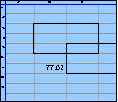
The space character, in many cases, doesn’t change the value of a formula. For instance, these two formulas return the same value:
- =A1 + 2
- =A1+2
Some people think that well-placed spaces make formulas easier to read. Although that might be true, the practice is both inconvenient and extremely dangerous. More
Excel’s online help, and many of the how-to books you can buy, provide long lists of keystroke shortcuts for carrying out specific operations, such as inserting rows, selecting regions, or deleting columns. And they are useful.
But the true power of the keyboard comes not from using these particular commands. Rather, it comes from learning combinations that are useful for particular situations that you encounter frequently.
For instance, there’s no command for deleting the rows that contain the selected cells, but there is a combination:
- Shift+Space selects the rows that contain the selection.
- Ctrl+- deletes the now-selected rows.
And so, Shift+Space Ctrl+- deletes the rows containing the selection.
Learning a vast array of keystroke commands is probably less useful than learning the keystroke combinations that do exactly what you need to do most often.